-
Step 1
Approved cardholders will receive a notification email with their Application ID. Then, using Google Play Store or the Apple App Store, search for the ‘APEC Business Travel Card’, or ‘ABTC’, and install the application.
Note : please ensure your smart device is compatible with the Virtual ABTC.
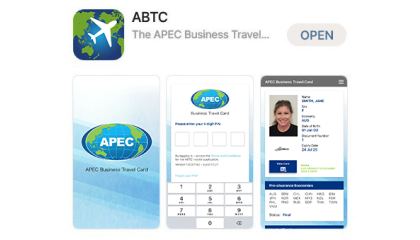
Application Store
-
Step 2
Cardholders will then be prompted to enter relevant details:
email, passport number, date of birth and the unique Application ID.If you do not know or cannot find your Application ID, select the ‘Can’t find your Application ID?
(And other FAQs)’ for information on how to retrieve these details.Hint : For Android users, when entering your date of birth you can quickly find and select your year of birth by pressing on the ‘year’, on the top left corner of the calendar.

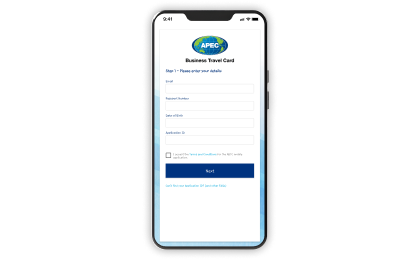
Login Screen
-
Step 3
During registration, cardholders will be prompted to create a Personal Identification Number (PIN) to access and use the smart device ‘App’. It is important to remember your PIN to allow future access and use the Virtual ABTC when travelling.
Note : If you forget your PIN, you can reset it on the login screen.
You can also select ‘forget me’ if you want to use the same device to log into another Virtual ABTC.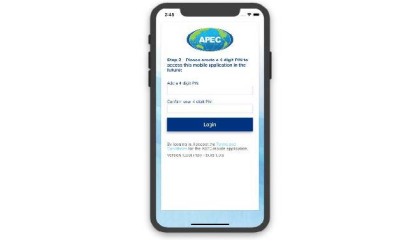
Create PIN Screen